Setting up a Dell Wyse 5070 as a jellyfin client
Problem
Recently, I’ve been wanting to watch jellyfin on the telly at my GF’s flat. She has a fire stick - it just about does the job for watching normal streaming services. Unfortunately, my patience with Peter Crouch and his white tshirt ads has been wearing dangerously thin. So much so that I felt action had to be taken.
The simple answer would be to get the jellyfin app on the fire stick. As the telly isn’t in my flat on my LAN, connecting it to jellyfin would need access to tailscale. I came to the conclusion this would be too much to handle for the ailing fire stick and a more robust linux solution was required. Let’s be honest, I also wanted an excuse to buy another computer off ebay.
Solution?
Hardware
I bought a used Dell Wyse 5070 off ebay for £40.
Specs are as follows:
- Intel J5005 CPU.
- 4GB of DDR3 RAM
- 16GB EMMC storage
- Came with a power supply!
Not the most impressive but it’s quiet, has lots of IO, and sips power. Should do the trick.
Wifi anguish
The one issue I had with the wyse was that the one I got had no wifi card. My plan had been to connect it via wifi to avoid unsightly cables running across the flat. Plan foiled.
No matter, I was pretty sure my old thinkpad had a wifi card in it; I’ll transplant it.
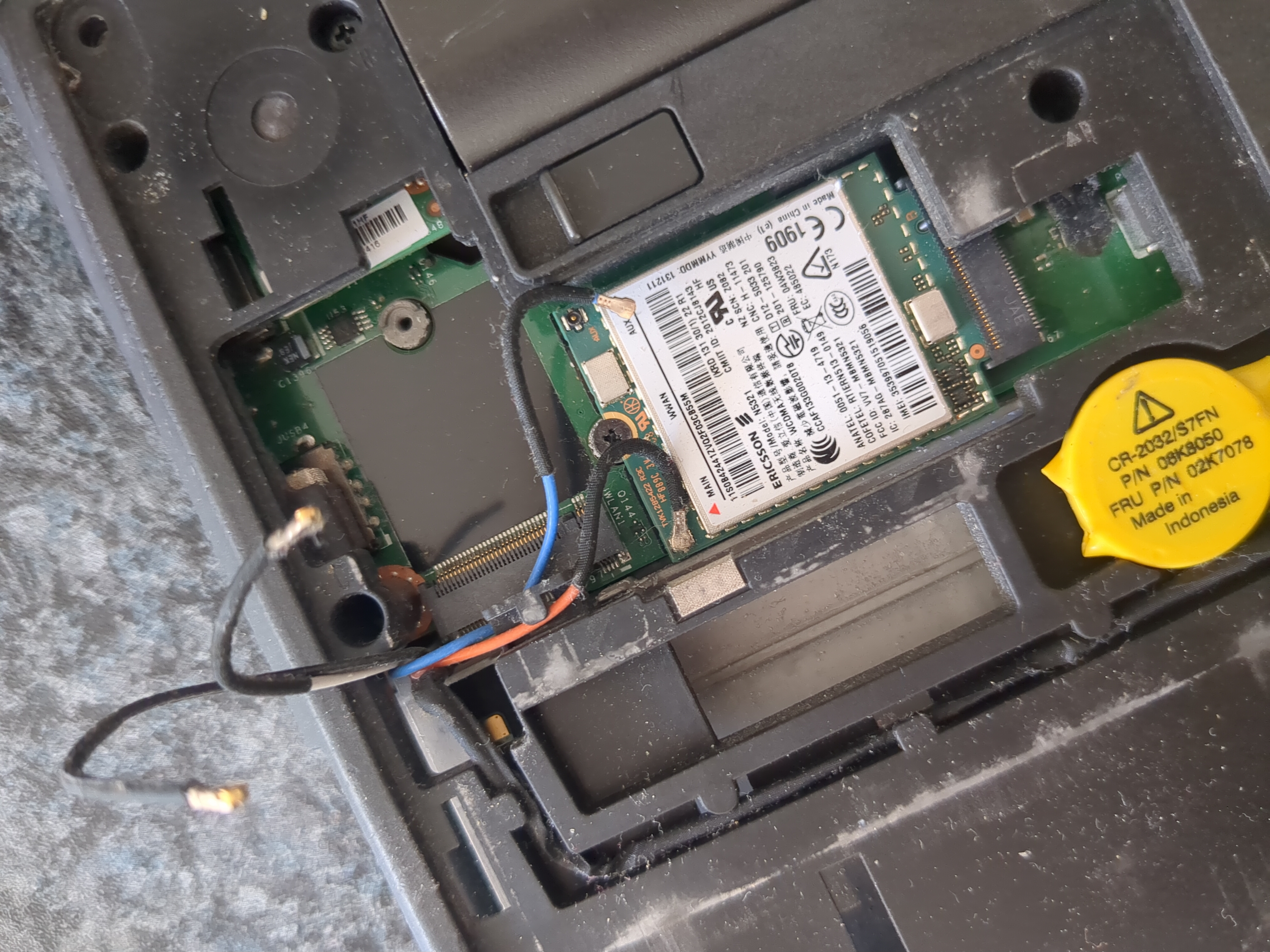 Bereft donor thinkpad - antennae groping.
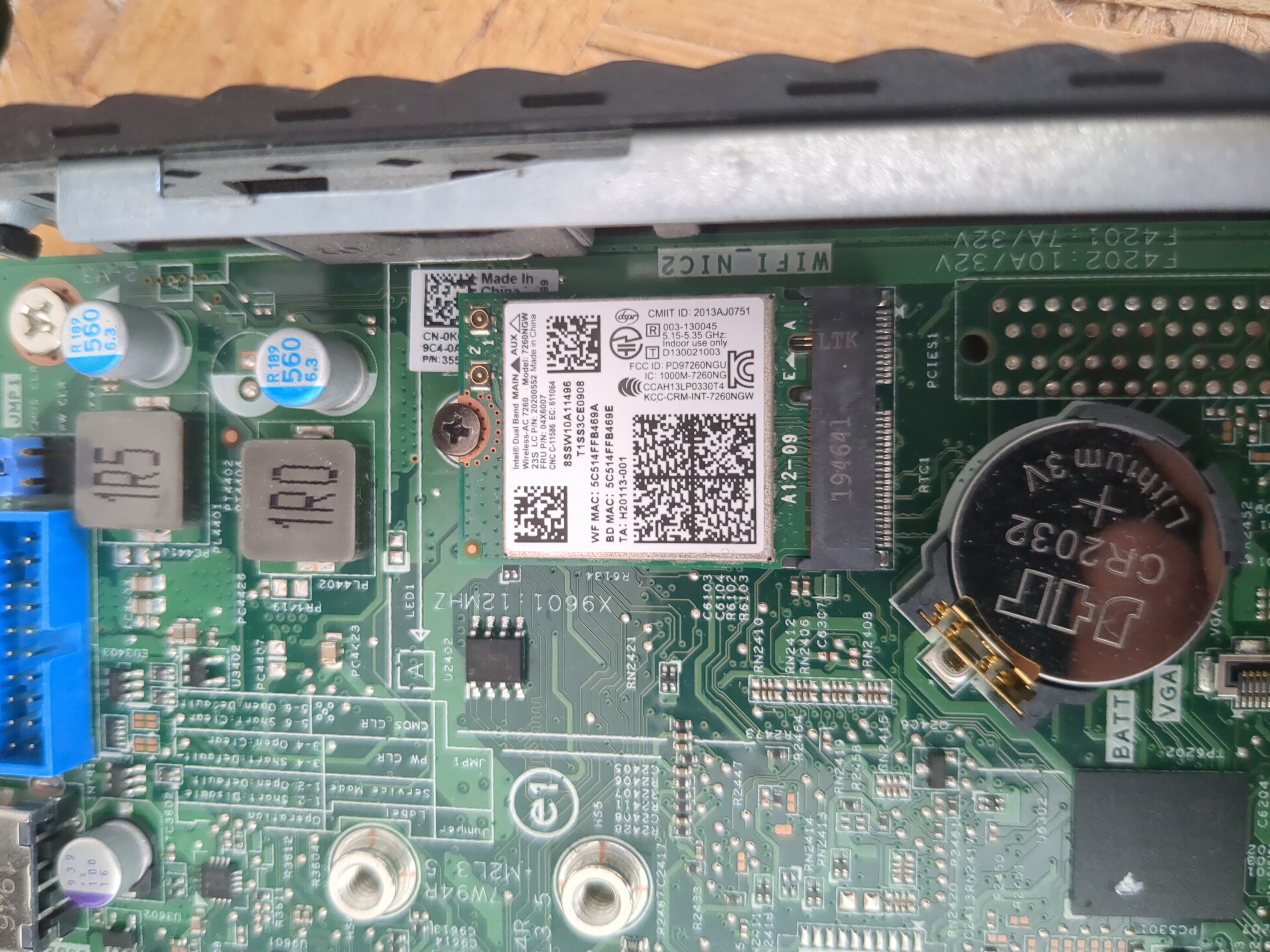 Wifi card in its new home - full of naive hope.
I was probably being a doofus because this didn’t seem to work very well.
The card was detected in linux but nmcli device wifi list showed nothing.
In hindsight and after some research, I think the problem was that it required the antennae it was connected to in the thinkpad.
Who would’ve thought. At the time it didn’t occur to me.
Anyway, for now at least I’ve resorted to good old ethernet.
Software
I wanted to run jellyfin-mpv-shim. This is a cool project which runs in the background and lets you cast to it from the jellyfin app on your phone.
Advantages:
- Based on MPV so has support for every codec under the sun.
- Control from your phone so no janky remote/controller setup required.
- Lightweight - no sluggish UI on low-powered box.
Disadvantages:
- Bit disconcerting when you switch on your tv and it greets you with a tty lol.
- You’re locked in with one user without major fiddling.
My idea was to write a minimal appliance style NixOS config to run it and do little else. It would boot up, autologin, and start jellyfin-mpv-shim as a systemd user service.
Custom NixOS service for jellyfin-mpv-shim
Because I was feeling fancy I thought I’d define my own module for the “jellyshim” service as I abbreviated it. It lets you add your jellyfin user, password, and server url – and plops it in the right place for the systemd service.
There’s a little script that runs before jellyfin-mpv-shim tries to start to make sure the network has sorted itself out and your server is resolving.
After that the important thing is the --no-gui argument for jellyfin-mpv-shim which prevents it from launching a gui for managing which server to login to.
{ pkgs, lib, config, ... }:
let
  cfg = config.services.jellyshim;
in
{
  options.services.jellyshim = {
    enable = lib.mkOption {
      type = lib.types.bool;
      default = false;
      description = "Run jellyfin-mpv-shim as a background service.";
    };
    package = lib.mkPackageOption pkgs "jellyfin-mpv-shim" { };
    jellyServerUrl = lib.mkOption {
      type = lib.types.str;
      default = null;
      description = "Url of jellyfin server.";
    };
    jellyUser = lib.mkOption {
      type = lib.types.str;
      default = null;
      description = "Jellyfin user to login as.";
    };
    jellyPassword = lib.mkOption {
      type = lib.types.str;
      default = null;
      description = "Password for jellyfin user.";
    };
  };
  config = {
    systemd.user.services.jellyshim = {
      description = "Run jellyfin-mpv-shim as background service.";
      wantedBy = [ "default.target" ];
      serviceConfig = {
        Type = "simple";
        ExecStartPre = pkgs.writeShellScript "jellyshim-wait-for-server" ''
          url="${cfg.jellyServerUrl}"
          url=''${url#*://}
          while ! ${pkgs.getent}/bin/getent hosts "''${url}"; do
            sleep 2
          done
        '';
        ExecStart = ''
          ${pkgs.jellyfin-mpv-shim}/bin/jellyfin-mpv-shim \
            --no-gui \
            --server "${cfg.jellyServerUrl}" \
            --username "${cfg.jellyUser}" \
            --password "${cfg.jellyPassword}"
        '';
        Restart = "on-failure";
        RestartSec = 5;
      };
    };
  };
}
This is what the module looks like used in your config.
services.jellyshim = {
  enable = true;
  jellyServerUrl = "https://jellyfin.server.url";
  jellyUser = "roddy";
  jellyPassword = "password12345!";
};
The whole config for the box can be found here. It’s the hosts/tv.nix file.
Thanks for listening, maybe I’ll update on the wifi of it all another time.